FAB Binder Organizer
 Every Flesh and Blood TCG card you own, in its place
Market Watch
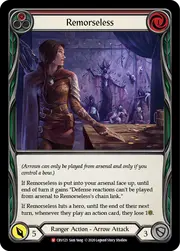 +400.0%
 $2.70 → $13.50
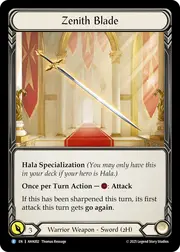 -76.1%
 $8.45 → $2.02
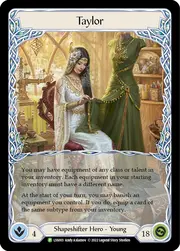 1$3,796.17
Refreshed daily. All movers, the most valuable cards of each class and what every set costs: Market Watch →
What's new
All updates- Heroes and sets in Learn, last sold prices, exports for Dragon Shield and Fabrary
The Learn section has two new pages. Heroes shows every hero as a fighting game's character select: click a portrait for the young and adult cards side by side, the ability, where each version is legal and its Living Legend status, the specialization cards and the class pool, every printing with its cheapest market price, and the demi-heroes a hero turns into. Sets and products lists every set grouped by kind - boosters, Blitz and Armory decks, Silver Age chapters, starter decks and promo pools - with release date, card count, rarity mix and finishes, and explains how a collector id like 1HP362 reads. Wherever a card is named, the rarity now shows as the symbol printed on the card and foils wear their RF, CF and GF chips: on every pocket, in the collection and binder tables, across Market Watch. On prices: the inspector and the card pages show TCGplayer's last sold price beside market and from, gathered daily, and Brazilian accounts see prices in reais. Export CSV, from the collection or from any binder, now asks for the shape and writes a Dragon Shield or a Fabrary file that imports straight into those tools. Also: a binder can run the full width of the window (an account preference) and its toolbar follows the scroll, Market Watch lives at /market-watch, the desktop nav has icons, and a tab left open across an update reloads itself instead of breaking.
- Search like FaBrary, and foil pockets by rule
The card search understands prefixes, in the same syntax as FaBrary and the official Card Vault: class:ninja, t:hero, k:go again, set:wtr, r:>=majestic, d:>3, pitch:red, artist:lindner, is:reprint. Combine them, negate with - (or !p for cards with no pitch), use , for either and + for both, and quote words with spaces. Plain words still match names, rules text and keywords, and now set codes and collector numbers too ("wtr167"). A "Search syntax" link under every search field opens the full table. Also new: when a binder adds cards by filter, you can ask for a finish - rainbow foil where the printing has one, or the best foil it comes in (cold foil, else rainbow, else standard) - next to "Add cards as playsets" in the new-binder wizard and in Add cards, saved in the binder's recipe.
- Henrique Lindner is our featured artist
Our second featured artist is Henrique Lindner, the Brazilian illustrator behind Shred, Art of Desire, Step Between and Runeblood Incantation, 71 cards in all: his page carries every card he painted as a binder, three favourites and his links. A big thank you to Isuardi Therianto for being our first - his page stays where it was, one click away from the new one. Market Watch also grew up: the week's biggest risers and fallers and each marketplace's top three show as card scans, the most valuable cards are split between TCGplayer and CardTrader, every class has its own list with a 70-day price chart, the lists are shorter with a "show more", and a menu that stays on screen jumps to each section. Prices now ignore a seller's parked listing on either marketplace.
- Market Watch, set pages in numbers, rules updates
A new Market Watch page (in the nav) lists the cards that rose and fell the most over the last 7 and 30 days, the most valuable cards overall and per class, and what one copy of every card costs - refreshed daily, with a taste of it on the landing page. Every set page opens with the set in numbers: cards by rarity and class, its five most valuable versions, the cost to complete it in standard and in foil, and how the set's price moved since release. The Learn section has a Rules updates page: every rules change since 2021 with the rulings it retired and what applies now. An About page (in the footer) says who makes the site and how to reach us - we are @FabBinder on X.
- Rulings the rules updates retired
Legend Story Studios never edits a release note, so a card's rulings stay worded as on release day even after the comprehensive rules change. We walked the rules change log from 2021 to June 2026: 36 rulings across 65 cards are now shown struck through under "Older rulings" on the card page and in the inspector, each with the rule that replaced it and what applies now - among them the Link Step (gone since January 2025), attack reactions during your ally's attack (allowed since June 2025), and tokens being cards. A further ten, where the outcome changed, wait for a judge's confirmation. Also: new binders and the Add cards sweep add cards as playsets by default (3 of each, 1 of heroes, equipment, weapons, mentors and Legendary cards - a switch turns it off), the Recipe tab lists what the recipe asks for, and PIMP mode now says so: pinned pockets wear a ✨ chip and the sort order carries a note, because a Fabled card on page one is not a sorting bug.